



How to Use the MAZDA Navigation System
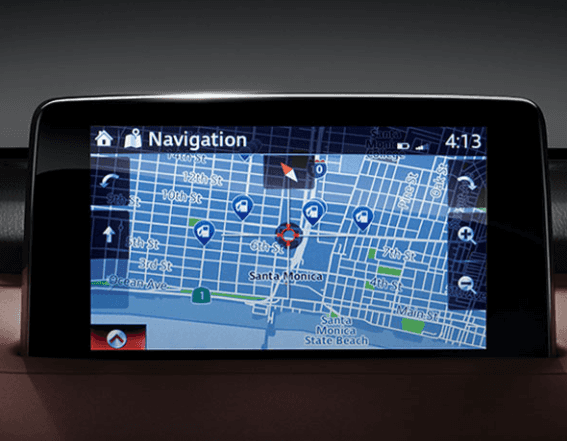
The Mazda navigation system is there to help you find your way around on the road. But what features does it contain, and how do you activate them? That’s where the North Penn Mazda team comes in. We’re explaining all the basics behind this system.
How Do You Use Navigation via MAZDA Connect™?
Mazda Connect™ is a standard infotainment system with several navigation features you can activate anywhere. To activate navigation, choose the Navigation setting on the Mazda Connect™ menu to bring up your nearby map. You can then enter your destination and get an up-to-date route in seconds.
What Features Are Available?
Depending on your model, you can activate numerous additional navigation functions through Mazda Connect™, including:
- Heads-Up Display: The available Active Driving Display® system displays vital navigational information on your windshield, allowing you to keep your eye on the road while directions are displayed within your line of sight.
- Split Screen: Keep your maps on one side of the screen while showing info about the music currently playing, such as song name and artist.
- 3D Maps: With an available 3D gyroscope sensor, your maps will display a 3D projection of surrounding buildings to help you navigate better.
Does My Vehicle Have MAZDA Navigation?
Mazda Navigation is standard on all current Mazda vehicles, but certain features may not be available depending on your model or year. Features like the Active Driving Display® or 3D map may be available on higher trims or in a technology package. Our team can inform you which navigation features are available in your model.
Learn More About MAZDA Navigation in Colmar, PA
Want to see the Mazda Navigation platform in action? Contact North Penn Mazda today to book a test drive in a Mazda vehicle and see this useful feature in action.
0 comment(s) so far on How to Use the MAZDA Navigation System